Turn information into knowledge. Highlight what matters in your AI chats, videos and across the web, lay it out on a board, and review it as flashcards.
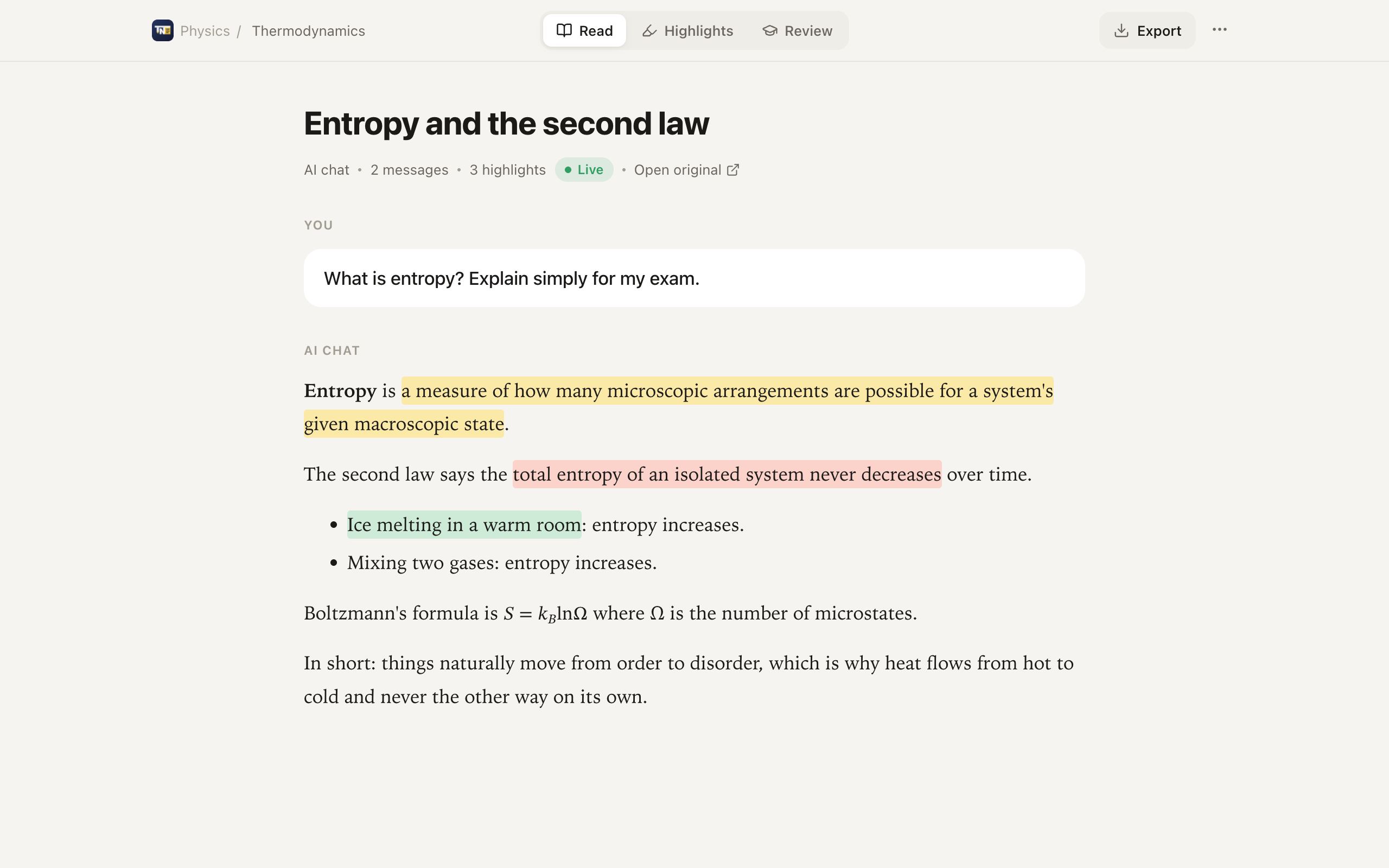
Save whole AI conversations, clip any page, capture any part of the screen.
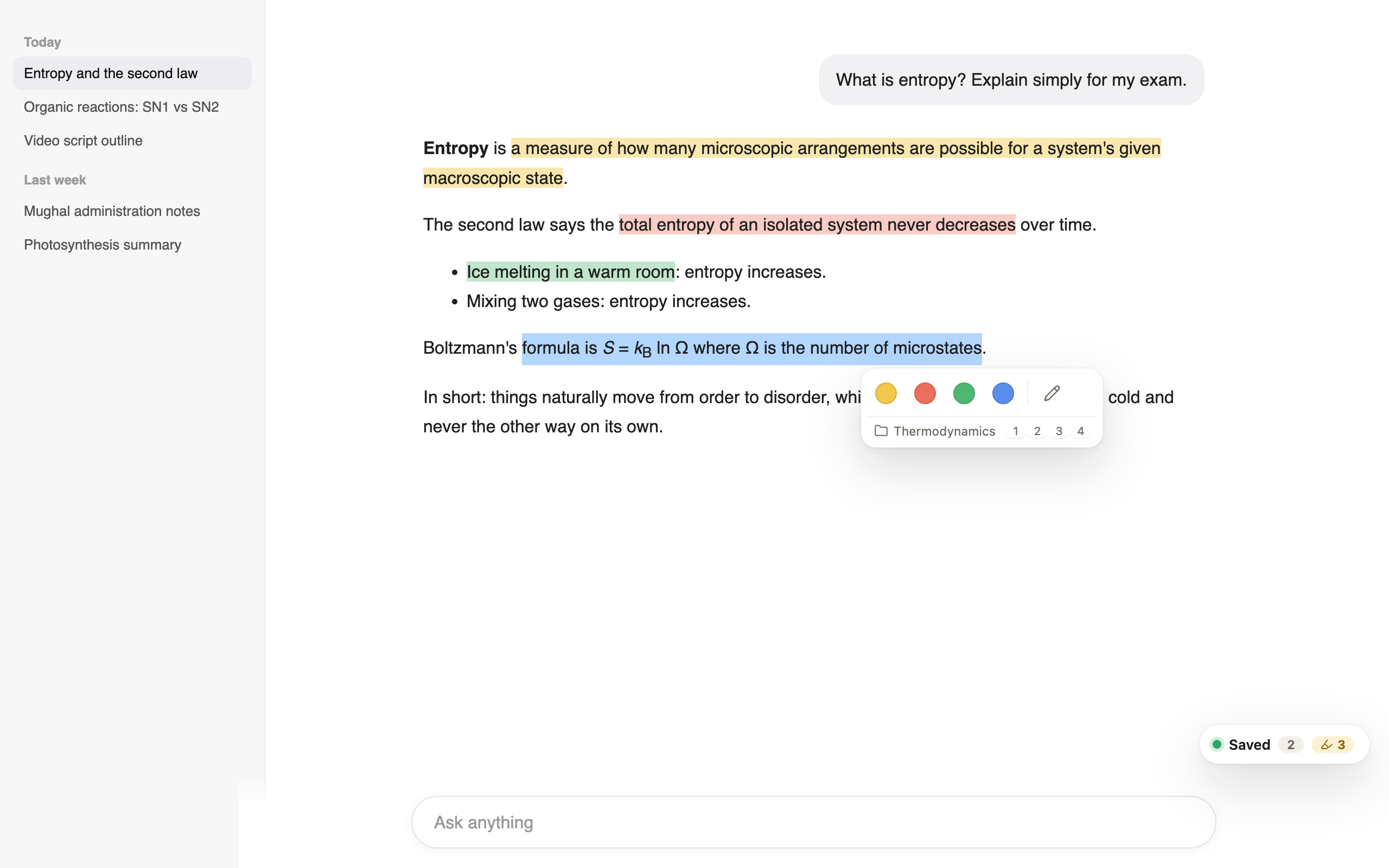
Select text and press 1 to 4. Key point, Important, Example, Idea, or names you choose.
Press Save chat once. New messages are added automatically while you keep chatting.
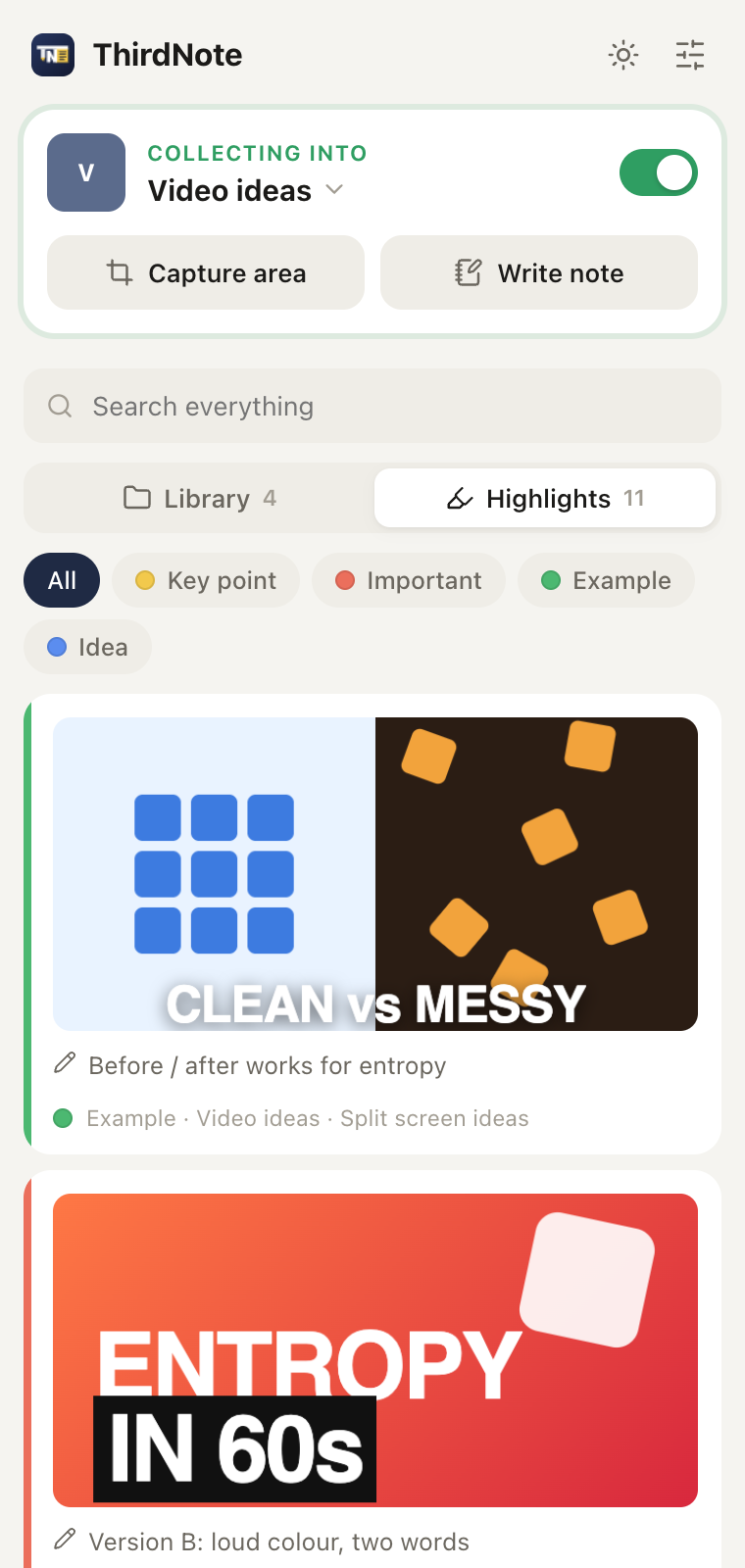
Grab a video frame, a chart or a post. On videos the timestamp comes with it. Screenshots never get lost in your gallery again.
Switch on Collecting and every save, from any site, lands in the collection you are working on.
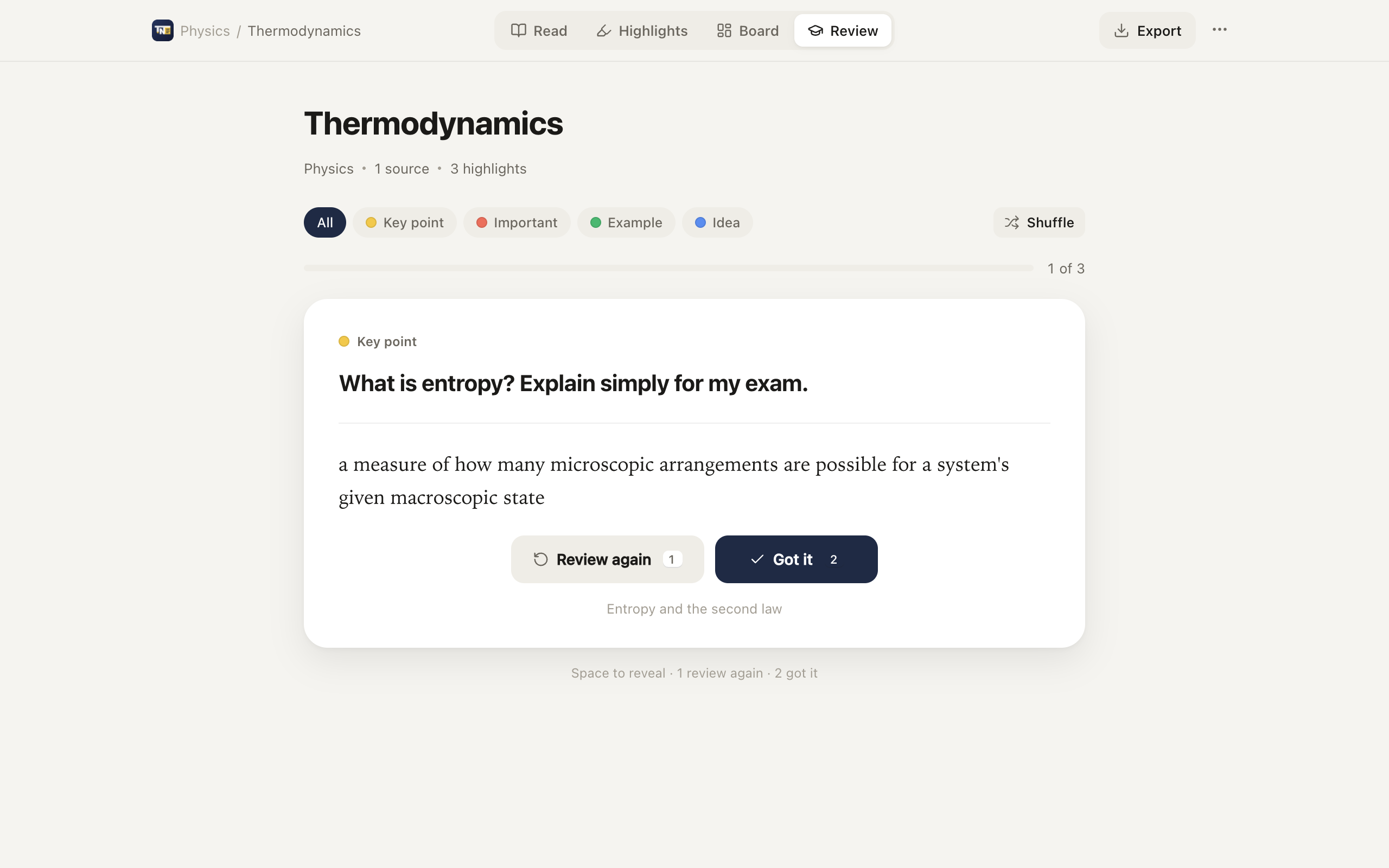
Your own questions become the prompts. Recall first, reveal, and mark what to see again.
Lay out screenshots, notes and highlights on a canvas with sticky notes, images and arrows. Export to Markdown or PDF.
A small toolbar appears under your selection. Pick a colour, add a note if you like, done. Highlights come back every time you open the page.
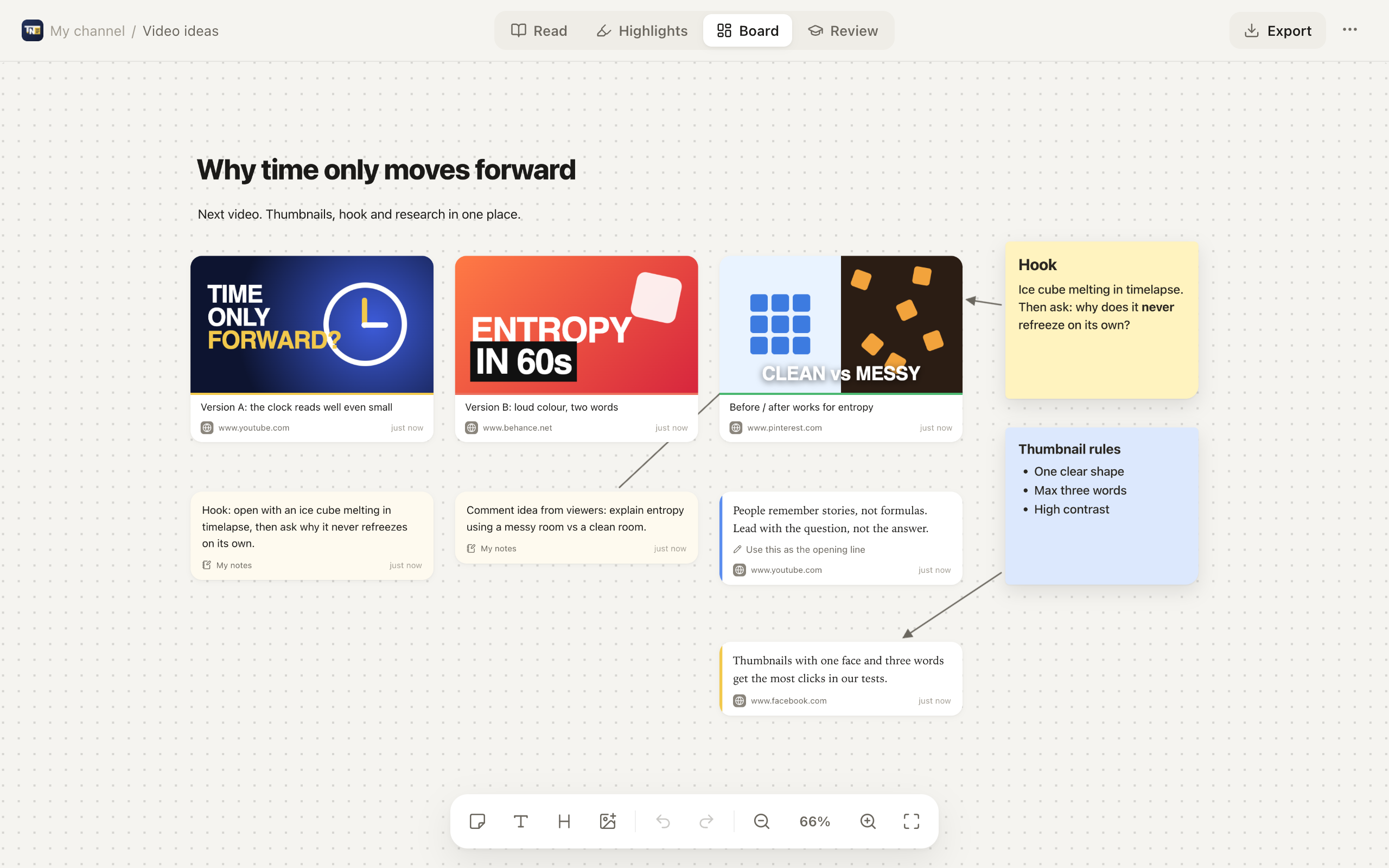
Every collection has a canvas. Screenshots, clips, notes and saved chats appear as cards. Move them, resize them, connect them with arrows, and drop in sticky notes, headings and images. Great for thumbnail ideas, research and study maps.
The side panel keeps your collections, groups and highlights next to whatever you are reading. Search across all of it.
Review mode shows one card at a time. Your question on the front, your highlight on the back. Keyboard friendly: Space, 1, 2.
ThirdNote has no servers and no accounts. Everything you save lives in your own browser, and you can download a full backup whenever you want.
Read the privacy policyThirdNote is on its way to the Chrome Web Store. This button will take you there as soon as it is live.
Add to Chrome, it's free ThirdNote